Cross Stitch Generator
Upload an image and convert it into a cross-stitch pattern with its corresponding DMC floss list. Everything runs in your browser.
Example: Robot
Original image → generated preview → charts (60×60 stitches, 14 colors)


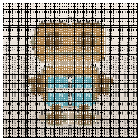


This example was generated by SimpleCrossStitch using 60×60 stitches, 14 colors, and no dithering.
Get a cleaner pattern (quick tips)
- Start simple: clean subject, good contrast, minimal background.
- Pick a stitch width: 80–120 for most images. Bigger = more detail (and more time).
- Limit colors: 12–24 DMC colors is a great starting range for readable charts.
- Confetti cleanup: use Light/Medium if you see lots of isolated single stitches.
Recommended starter settings
| Image type | Stitches wide | Max colors | Dithering | Confetti cleanup |
|---|---|---|---|---|
| Logo / cartoon | 60–140 | 6–20 | Off | None / Light |
| Portrait photo | 150–250 | 24–50 | On | Light |
| Small icons | 40–80 | 4–10 | Off | Medium / Strong |
Image adjustments (optional)
Quick guide
- Choose an image (a simple photo or clear artwork works best).
- Pick a stitch width. Try 80–120 to start.
- Limit colors. Start with 12–24 DMC colors for cleaner charts.
- Optional: enable Dithering for smoother gradients.
- Optional: use Confetti cleanup to reduce isolated single stitches.
- Click Generate, then download or print.
Troubleshooting
- If the chart is too detailed, reduce Stitches wide or Max DMC colors.
- If the chart is too blocky, increase Stitches wide (and optionally enable dithering).
- If printing is hard to read, increase Chart cell size (px).
More details: Tutorial · FAQ · Privacy
Mini game: Stitch Trainer
Cross stitch charts are just grids. Each square is one stitch, and you build each stitch as an “X” (two diagonal lines). This mini game lets you practice placing stitches and following a tiny chart.
New to charts? Read: How to read cross stitch charts.
More beginner-friendly guides
Simple Cross Stitch is a free in‑browser tool, but cross stitch itself has a few fundamentals that make every project easier: choosing fabric count, reading a chart, and estimating thread.
- Cross stitch basics: supplies and first steps
- How to read charts (symbols, grid numbers, and backstitch)
- Photo → pattern: settings that create cleaner charts
- Free mini patterns (printable charts)
Your charts will appear here
Choose an image above, adjust settings, then click Generate. After that, you’ll be able to download or print your charts and DMC thread list.
- Color symbols chart
- Black & white symbols chart
- Stitched preview + optional outline overlay
- DMC thread list with stitch counts (CSV download)
| Symbol | Swatch | DMC | Color Name | Stitches |
|---|